The research problem
Documentation habits often fail because the note-taking tool is elsewhere. A researcher finishes a transformation in a spreadsheet, intends to document it later, and moves immediately to the next task.
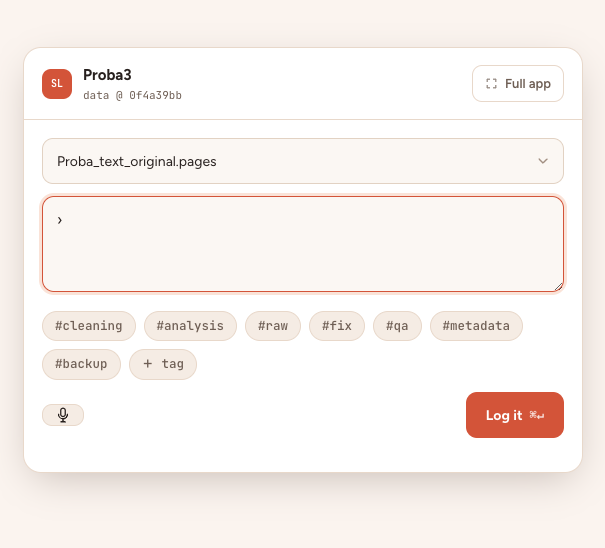
How the workflow works
- Open Quick Log from SepiaLog, the desktop shortcut or tray/menu-bar item.
- Type a short memo or dictate it using local transcription.
- Save it to the most recently opened project with its tags and context.
What SepiaLog provides
- Floating mini-window
- Keyboard shortcut
- Local voice transcription when configured
- Works alongside common office and analysis applications
Common questions
Does voice transcription upload audio?
SepiaLog is designed to use local transcription when the optional local speech component is configured.
Can Quick Log attach to any project?
It writes to the most recently opened project so the capture remains fast.
Is Quick Log required?
No. The full New note screen remains available for richer documentation.